Access Policies
Define reusable ABAC rules to control when, where, and how credentials are accessed.
Token Vault includes an Attribute-Based Access Control (ABAC) policy system. Policies let you define fine-grained rules that are evaluated on every credential request - agent access, MCP proxy injection, or direct token retrieval.
How Policies Work
AND logic
All rules within a policy are AND'd together - every rule must pass. If multiple policies are attached to one entity, those policies are also AND'd. A single failing rule blocks the request.
Rule Types
Creating a Policy
- Go to the Policies tab.
- Click Create Policy.
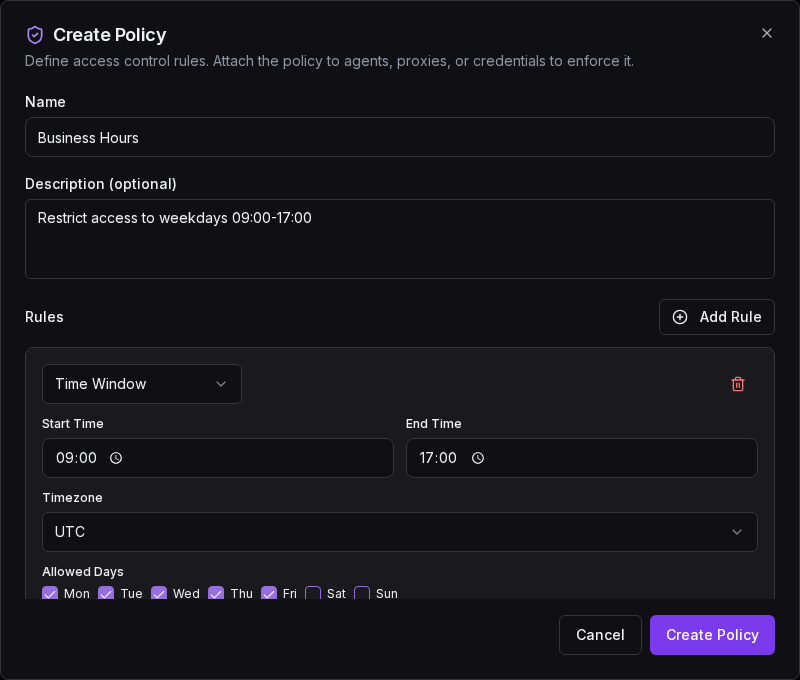
- Give it a name and optional description.
- Add one or more rules using the rule editor.
- Save the policy.
- Attach it to the entities you want to protect.
The create dialog lets you name your policy, add rules, and configure each rule's parameters:
Policies can be enabled or disabled without deleting them. A disabled policy is skipped during evaluation.
Managing Policies
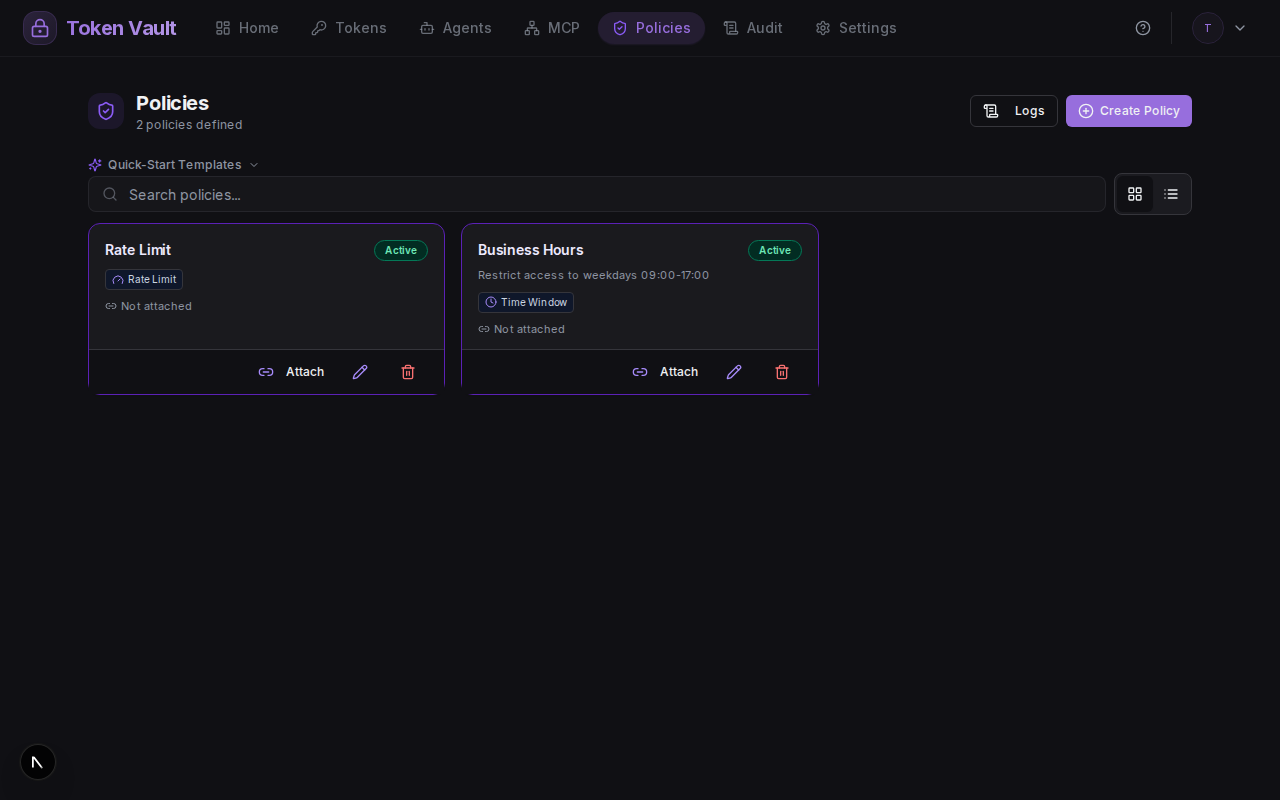
The Policies page shows all your policies with their rule counts and action buttons for editing, attaching, and deleting:
Attaching Policies
Policies are attached to entities - agents, MCP proxies, or individual tokens. One policy can be attached to many entities, and one entity can have many policies.
To attach a policy:
- Open the Policies tab in the dashboard.
- Click the attach icon on the policy you want to use.
- Select the entity type (agent, proxy, or token) and pick the entity.
- The policy takes effect immediately - the next credential request will be evaluated against it.
To detach, open the same dialog and remove the attachment.
Example: Business Hours + Office IP
Create a policy with two rules:
| Rule | Configuration |
|---|---|
| Time window | Weekdays 09:00-17:00, Europe/London |
| IP allowlist | 203.0.113.0/24 (office network) |
Attach it to your GitHub agent. Now that agent can only retrieve GitHub credentials during business hours from the office network. A request at 22:00 or from a home IP is denied with:
403 POLICY_DENIED
Policy: "Business Hours"
Rule: time_window
Reason: "Current time 22:15 is outside allowed window 09:00-17:00"
Example: Rate-Limited Proxy with Approval
Create a policy with two rules:
| Rule | Configuration |
|---|---|
| Rate limit | 50 requests per 300 seconds (5 min) |
| Manual approval | (no config) |
Attach it to an MCP proxy. Every request sends you a push notification - tap Approve to allow it. If the proxy exceeds 50 requests in 5 minutes, it is temporarily blocked regardless of approval.
What Happens When Denied
When any rule fails, Token Vault returns:
{
  "error": "POLICY_DENIED",
  "policyName": "Business Hours",
  "ruleType": "time_window",
  "reason": "Current time 22:15 is outside allowed window 09:00-17:00"
}
The response always includes the policy name, rule type, and a human-readable reason so you can diagnose why access was blocked. Denied requests are logged to your audit trail.