Token Management
Add, manage, and refresh API keys, OAuth tokens, TOTP secrets, and raw credentials — all stored on your own webhook, brokered and audited by Token Vault.
Adding Tokens
You can add tokens in two ways:
- OAuth flow - Use the "Connect" buttons (GitHub, Google) to log in directly with the provider. Token Vault securely captures both the access token and refresh token.
- Manual entry - Click "Add Custom Token" and paste a Personal Access Token (like a GitHub PAT) or any API key.
Manual Entry
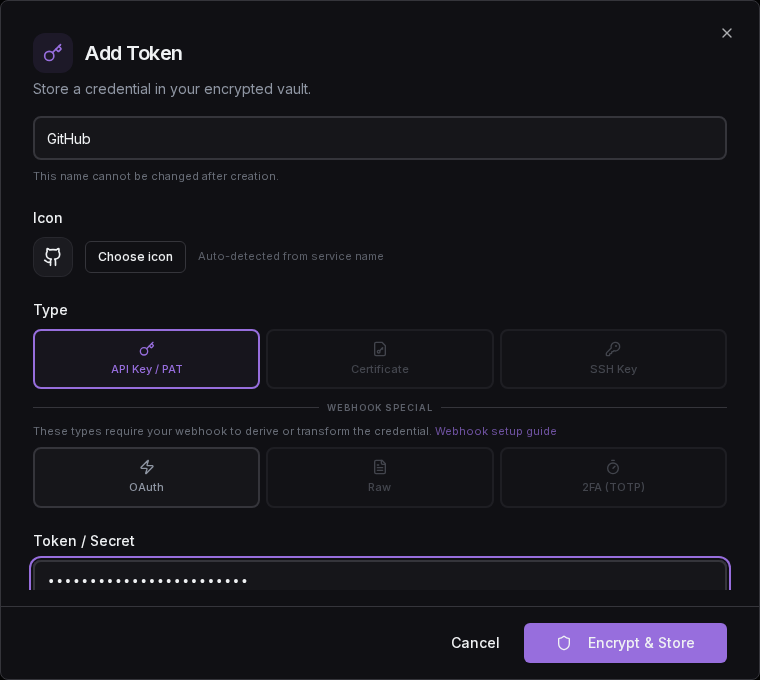
The Add Token dialog lets you choose a token type, name the service, and paste your credential. For a simple API key or PAT, use the default "API Key / PAT" type:
OAuth Tokens
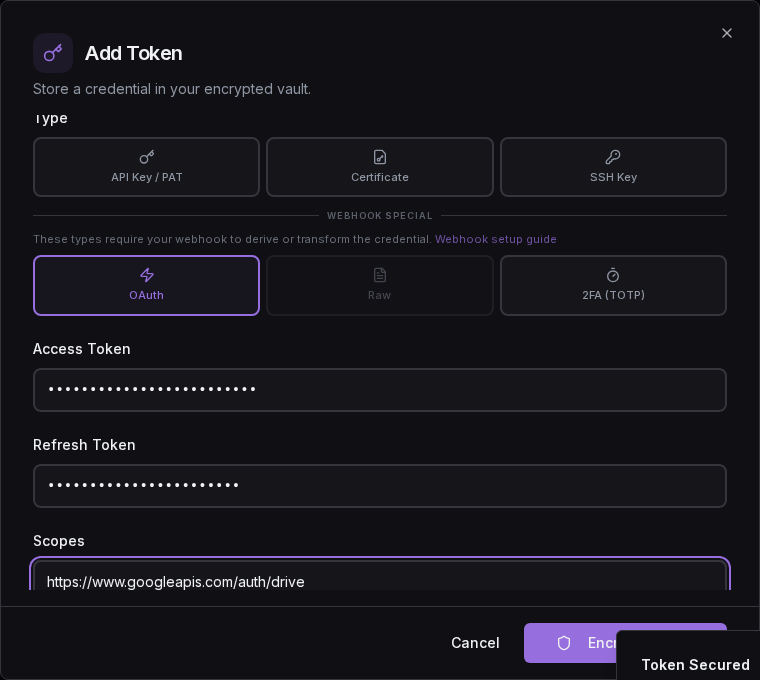
For tokens that include a refresh token and scopes, switch to "OAuth / JWT" type. This stores the access token, refresh token, and scope so Token Vault can automatically refresh the credential when it expires:
Certificates & SSH Keys
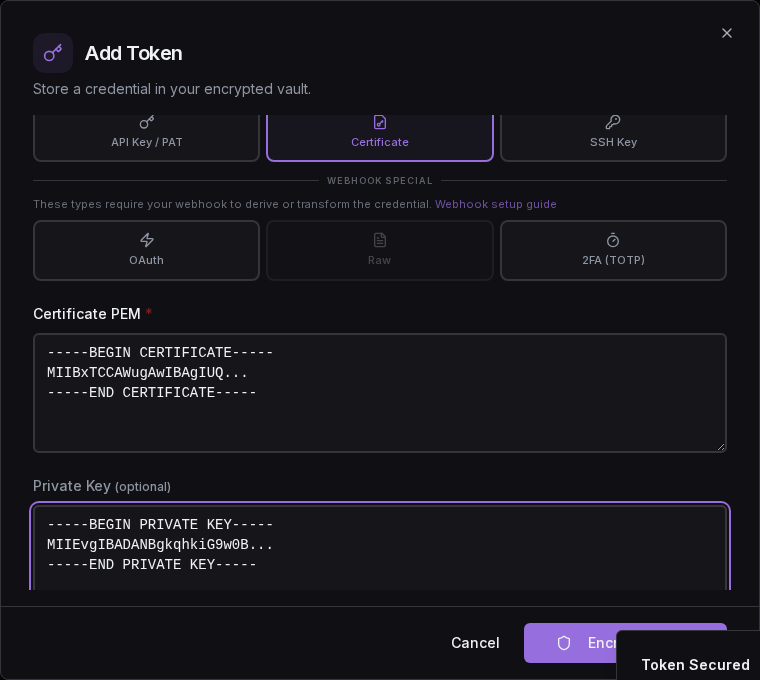
Token Vault also supports storing TLS certificates and SSH keys. Switch the type selector to "Certificate" or "SSH Key" and paste the PEM-encoded values:
TOTP / 2FA
Store a TOTP secret and Token Vault will generate fresh one-time codes on demand. Agents receive a ready-to-use 6-digit code instead of the raw secret. In webhook mode, code generation happens entirely on your webhook — Token Vault never sees the secret.
Switch the type selector to 2FA (TOTP) and paste either an otpauth:// URI (from a QR code) or a raw Base32 secret. See the TOTP guide for the full flow — the TOTP secret never leaves your webhook.
Token Types
Standard Types
Stored and returned as-is. No webhook processing needed.
| Type | Description | Examples |
|---|---|---|
| API Key / PAT | Static credentials that don't expire automatically. Cannot be refreshed programmatically. | GitHub PATs, Stripe API keys, OpenAI API keys |
| Certificate | PEM certificate + optional private key and chain | TLS/mTLS certificates, client certs |
| SSH Key | Private key + optional public key | ED25519, RSA, ECDSA keys |
Webhook Special Types
These types require your webhook to do work — it transforms, derives, or generates the credential before returning it to the caller.
| Type | What's Stored | What Webhook Returns | Guide |
|---|---|---|---|
| OAuth | Access + refresh tokens, scopes | Fresh access token (refreshed via webhook) | — |
| Raw Credential | GCP SA JSON, AWS creds, etc. | Short-lived access token (minted by webhook) | Raw Credential Brokering |
| 2FA (TOTP) | Base32 TOTP secret | Current one-time code (generated by webhook) | TOTP / 2FA Guide |
Refresh Flow
Token Vault never stores credentials, so all refresh flows go through your webhook. Two paths are available:
Notify-Only Refresh (/v1/refresh-notify)
Your webhook owns the entire refresh cycle. Token Vault sends provider hints (token URL, client ID) but never the credential or clientSecret. Your webhook uses its own OAuth credentials to refresh the token. Token Vault never sees any credential material.
Use this for custom OAuth providers where you configure your own client credentials on the webhook.
TV-Mediated Refresh (/v1/refresh)
OAuth credential handling
This is the only flow where Token Vault briefly handles credential material in transit. Your credentials are still fully secure -- Token Vault does not and will never store them. All other flows remain fully hands-off.
A two-phase flow for Token Vault's built-in OAuth providers (Google, GitHub, Spotify):
- Phase 1 (get): Token Vault asks your webhook for the decrypted refresh token.
- Phase 2 (refresh + update): Token Vault calls the OAuth provider with its own
client_secret, gets fresh tokens, and sends them back for your webhook to encrypt and store.
Your webhook opts in by reporting the "tv-refresh" capability during /v1/exchange. Without it, Token Vault falls back to notify-only refresh. Runs automatically on a schedule (tokens expiring within 1 hour are refreshed).
Dashboard Badges
Token cards display trust model badges to show how each credential is handled:
- TV Zero (green shield): Token Vault never sees this credential at any point -- not during storage, access, or refresh.
- TV Refresh (blue refresh): TV-mediated refresh is active. Token Vault briefly handles the refresh token in transit during scheduled refresh cycles but never stores it. All other operations (storage, agent access, proxy) remain fully hands-off.
Click either badge on a token card to see a detailed explanation of the trust model for that specific token.
Supported Refresh Providers
Token Vault can perform TV-mediated refresh for providers where it holds the OAuth client_secret (Google, GitHub, Spotify). All other providers use notify-only refresh.
| Provider | TV-mediated refresh | Notify-only refresh |
|---|---|---|
Requires tv-refresh capability | Your webhook's OAuth creds | |
| GitHub | Requires tv-refresh capability | Your webhook's OAuth creds |
| Spotify | Requires tv-refresh capability | Your webhook's OAuth creds |
| Custom providers | Not supported | Your webhook handles everything |
Custom & Other Provider Tokens
Refresh for Custom Tokens
For tokens from providers other than Google, GitHub, and Spotify (e.g., Slack, Stripe, OpenAI, Anthropic, or any custom bearer token):
- Static API keys / PATs - These don't expire and don't need refresh. Simply store them as API Key / PAT tokens.
/v1/refresh-notify- Configure your webhook with the provider's OAuth credentials. Token Vault sends refresh notifications and your webhook handles the full refresh cycle.- Manual rotation - If your webhook does not implement refresh for the provider, you must manually replace the token in your vault when it expires.
Troubleshooting
Ready to try it?
Sign up free with Google — your credentials stay on your own webhook, and the quickstart gets an agent fetching its first credential in about ten minutes.
Initial Setup
Sign in to Token Vault, deploy and bind your webhook vault, and add your first credential — with no credential ever stored on Token Vault.
Activity & Audit
Every credential access, agent request, policy decision, and config change — metadata in your dashboard, the full record on your webhook.