MCP Proxy: Secure AI Agent Connections
Point Cursor, Claude, or any MCP client at a Token Vault proxy URL — your webhook injects the real credential server-side, so the agent never sees it.
What is the MCP Proxy?
The MCP proxy acts as a secure intermediary for your AI agents (Cursor, Windsurf, Claude, etc.). Your agent gets a proxy key (a random string). When the agent makes a request, the proxy validates the key, fetches the real token from your vault, injects it into the request headers, and forwards everything to the upstream service. The agent never sees your real credentials.
How It Works
Proxy Flow
Creating a Proxy
- Go to the MCP Proxy tab and click "Create MCP Proxy".
- Choose a method: Manual Config, Templates, or Import JSON.
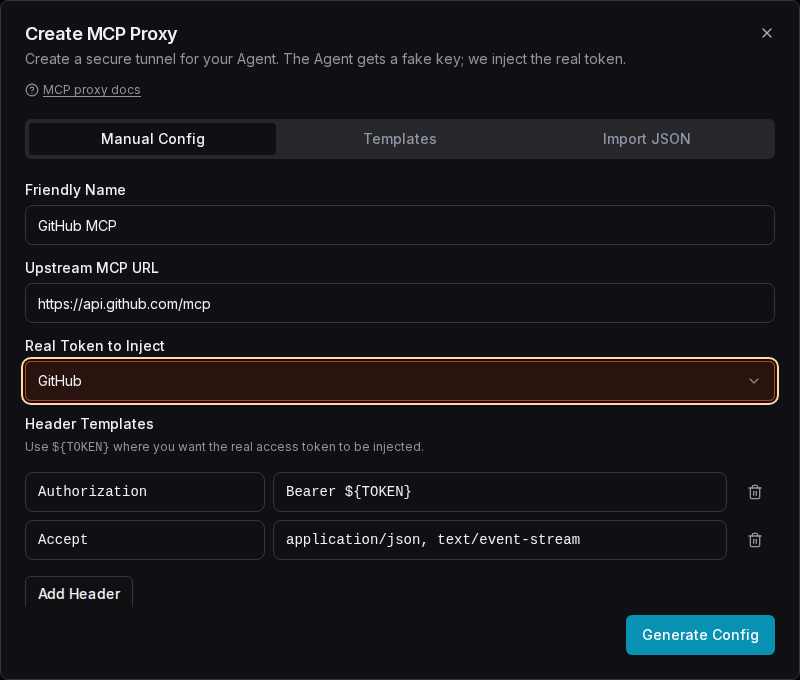
- For manual: enter a name, the upstream MCP URL, select which stored token to inject, and configure headers.
- Use
${TOKEN}as a placeholder in headers where the real token should be injected (e.g.,Authorization: Bearer ${TOKEN}). - Click "Generate Config" to get the proxy configuration JSON.
Manual Configuration
Fill in the proxy name, upstream URL, and select a token to inject:
Import from JSON
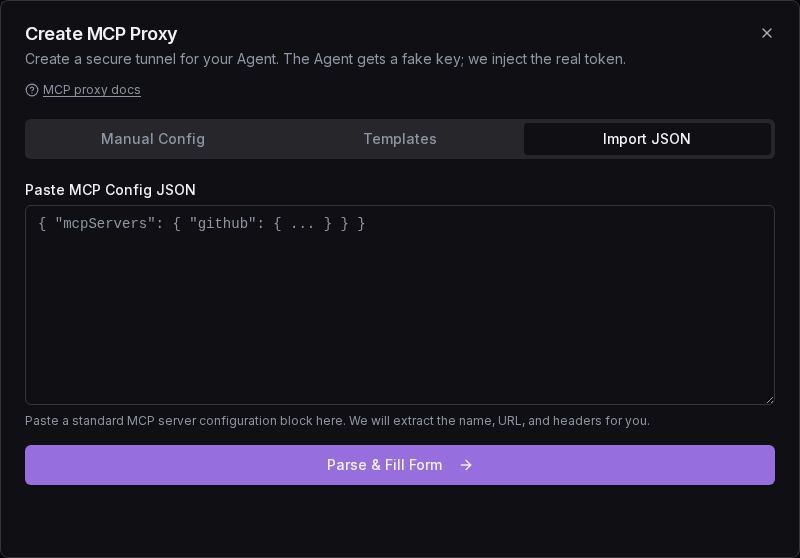
If you have an MCP config snippet from a tool's documentation (e.g., { "mcpServers": { ... } }),
switch to the Import JSON tab in the create dialog, paste it, and Token Vault
will automatically extract the URL and headers for you:
Proxy Ready
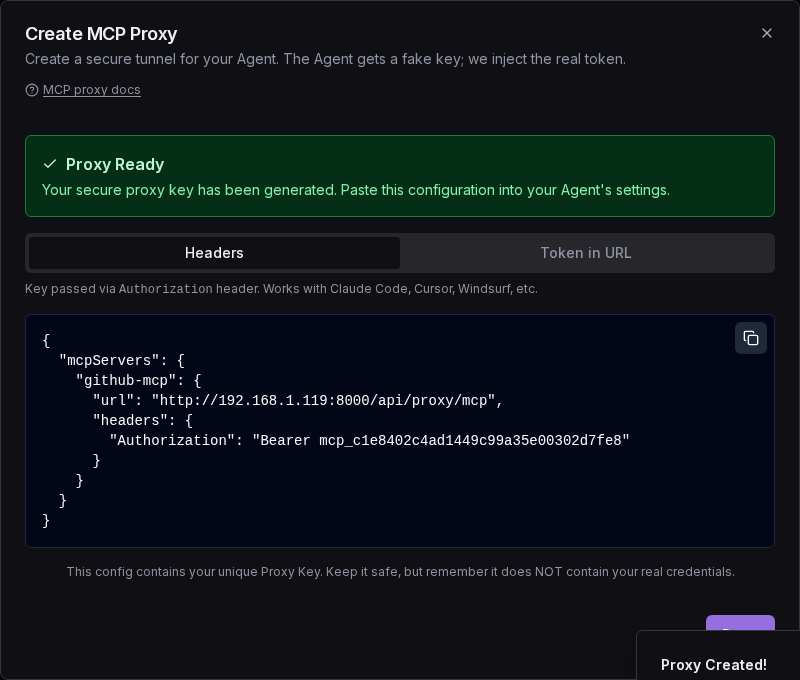
After generating the config, the dialog shows the proxy configuration JSON that you copy into your agent's config file:
Connecting Your Agent
Copy the generated JSON and paste it into your agent's configuration file:
"mcpServers": {
  "github-proxy": {
    "url": "https://api.tokenvault.uk/api/proxy/mcp",
    "headers": { "Authorization": "Bearer YOUR_PROXY_KEY" }
  }
}
Notice: the header carries the proxy key, not your upstream credential. Token Vault authenticates that key and your webhook injects the real token server-side.
The proxy key must travel in a header. A ?key= query parameter is not accepted — a
long-lived key in a URL is recorded by every hop that logs a request line (Cloud Run, the
Google front end, Cloudflare, browser history, any Referer) and cannot be scrubbed
afterwards.
Claude.ai Connectors
Claude.ai web UI connectors expect a plain URL and cannot set a custom header, so they cannot authenticate against a proxy URL. Use the OAuth 2.1 gateway instead: point the connector at Token Vault's own MCP endpoint and approve in the browser — no key is pasted anywhere.
https://api.tokenvault.uk/api/agents/mcpSee OAuth 2.1 for MCP Clients for the full flow.
The proxy supports both Streamable HTTP and SSE transports, so it works with transport negotiation out of the box.
Auth Types
A proxy injects upstream credentials one of two ways:
authType | Upstream auth | Credential source | Webhook involved? |
|---|---|---|---|
webhook (default) | Your stored token via ${TOKEN} header templates | Your webhook | Yes — webhook injects and calls upstream |
tv_session | Authorization: Bearer tvsess_…, auto-refreshed | Token Vault's own OAuth session tokens | No — TV calls the upstream directly |
tv_session: front an OAuth-gated MCP server
If your upstream is itself gated by Token Vault's OAuth 2.1 tokens (for
example your own MCP gateway using introspection), a
tv_session proxy keeps a fresh session injected for you:
{
  "name": "Home MCP Hub",
  "upstreamUrl": "https://mcp.example.com/mcp",
  "authType": "tv_session",
  "boundAgentId": "agent-doc-id"
}
On create, Token Vault mints a refresh token bound to that agent and stores it
server-side (never echoed back). At call time it mints or reuses a one-hour
tvsess_ and calls the upstream directly — these are Token Vault's own session
tokens, not your credentials, so your webhook is not involved. The bound agent's
ABAC policies gate every call; suspending the agent or deleting the proxy breaks
the path immediately.
Managing Proxies
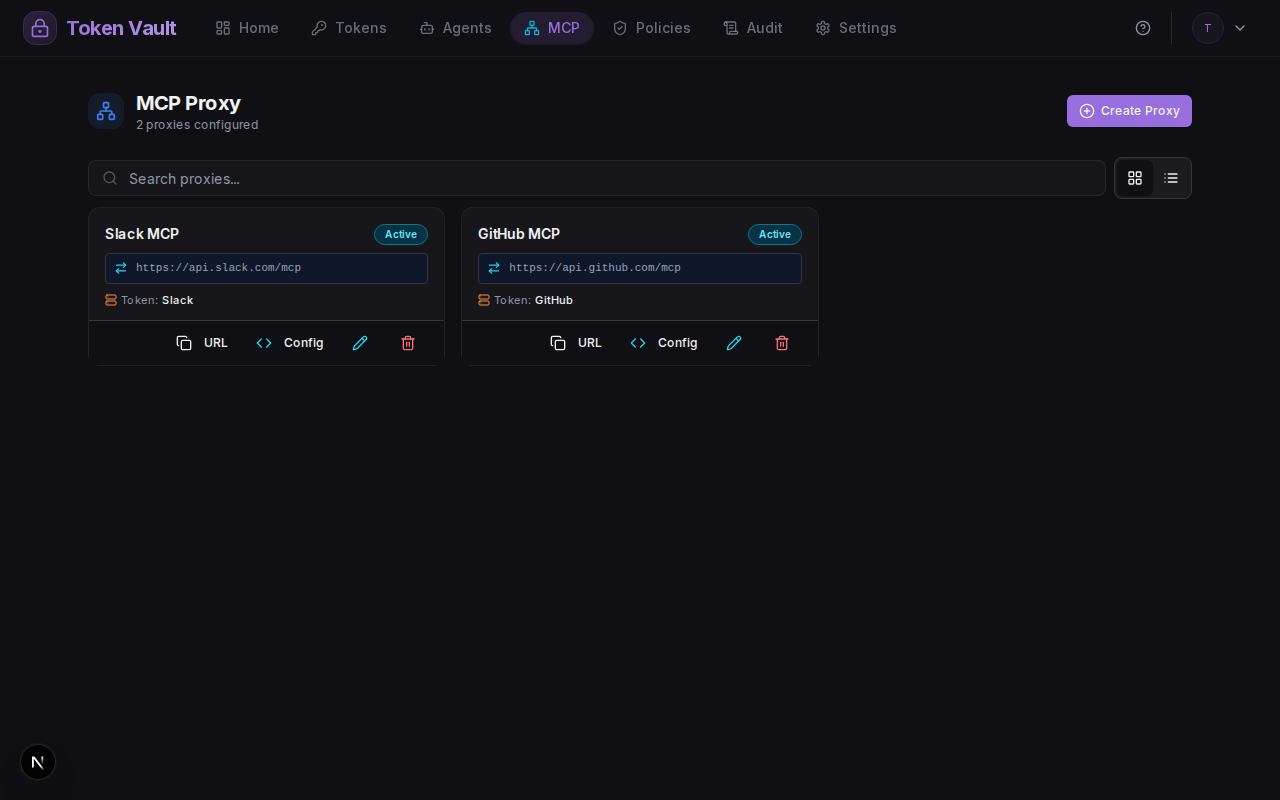
The MCP Proxy page shows all your configured proxies with their status, upstream URL, and action buttons:
Custody during proxying
The proxy forwards credential requests to your webhook. Token Vault never sees your plaintext credentials. Your webhook decrypts and injects them into the upstream request. If your webhook is offline, the proxy returns a 502 error (code WEBHOOK_UNAVAILABLE).
Ready to try it?
Sign up free with Google — your credentials stay on your own webhook, and the quickstart gets an agent fetching its first credential in about ten minutes.
Agent Grants: Scoped, Time-Limited Credential Access
Create agent identities with tvagent_ API keys and grant them scoped, time-limited access to specific credentials — revocable instantly from the dashboard.
OAuth 2.1 for MCP Clients
Connect Claude, IDEs, and agent runtimes to Token Vault with a standard in-client OAuth 2.1 flow — no pasted keys.